
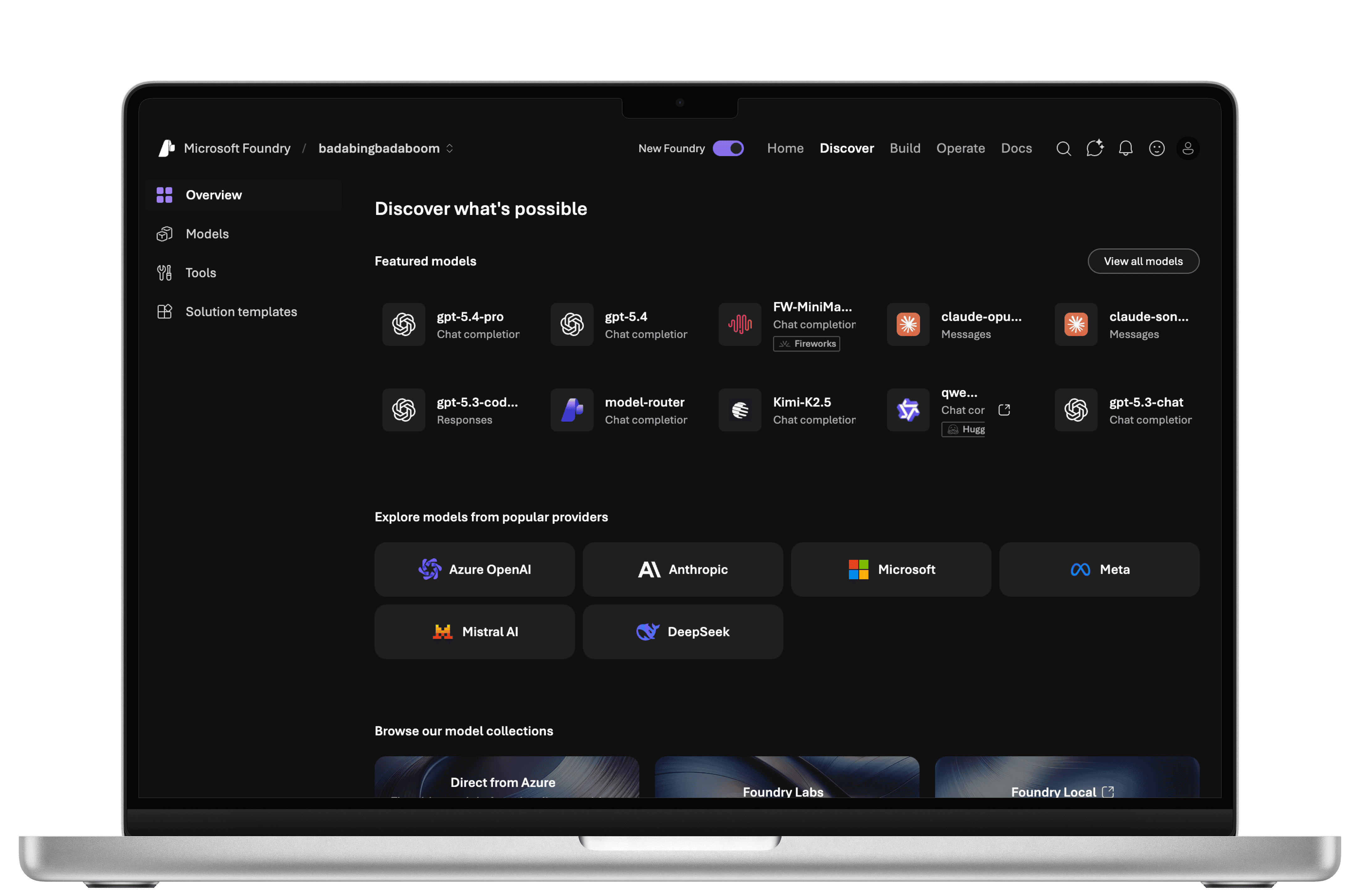
Microsoft Foundry
This partnership was done in collaboration with the course HCDE 517: Usability Testing, taught by Katya Cherukumilli at the University of Washington.
IMPACT
Influenced implementation of 2 high priority recommendations for 80k+ users
Evaluated the effectiveness of Foundry's discover and exploration features
Delivered a series of design recommendations to a team of 30+ people
TEAM
4 Usability Researchers
ROLE
Usability Researcher
TIMELINE
Jan-Mar 2026
10 Weeks
SKILLS
Usability Testing
Qualitative Data Collection
Data Triangulation
COLLABORATORS
1 Product Designer
1 Product Manager
1 Research Ops Manager
1 User Researcher
BACKGROUND
Foundry is a comprehensive platform to build, deploy, and manage generative AI applications and agents.
Our client at Microsoft Core AI was most interested in gauging how easy it was for users to complete their tasks with discovery the tools provided to them, and uncovering whether these tools matched their expectations. They expressed that their "north star metric" was conversion rate.
In other words…
Can users successfully discover AI models that suit their needs, and what do their typical workflows look like?
PARTICIPANT PROFILE
Due to the specialized nature of Foundry as a platform for AI developers, we utilized a questionnaire via User Interviews to screen people based on their AI development experience.
To reduce bias, we excluded those with UX research experience from the participant pool. A total of 8 participants were interviewed.
4 Students
Undergraduates & Graduates
4 Professionals
Working full-time in tech
Background in software development
1+ year of experience using and developing generative AI tools
Thorough understanding of LLMs and model deployment workflow
CRITERIA
(HOVER ME!)
RESEARCH GOALS
The foundation of our study plan begins with translating business goals into research goals.
Business Goals
The "north star" metric is
conversion rate.
Research Goals
Understand how users:
Navigate the platform
Evaluate & compare model information
Determine the most suitable model
METHODOLOGY
60 Minute Sessions
Virtual Moderated Test
Structured Interview &
Direct Observation Tasks
Post-Task Questionnaire
FINDINGS & DESIGN RECOMMENDATIONS
Users could technically get around, but the tools they used were misaligned in user intention, clarity, and representation of information.
We organized the usability issues that we found based on the following criteria: high priority (prevents completion of a task), medium priority (causes significant delay), and low priority (minor effects on usability).
HIGH PRIORITY
MEDIUM PRIORITY
LOW PRIORITY
Issue 1: 50% of users expressed a desire for an AI-assisted search tool, despite there already being one.
Many participants used the "Search with AI" tool as a traditional search bar, most likely due to its visual design and users' correlation to the design pattern of regular search bars. Because they prompted it as such, they failed to notice the AI capabilities of this tool.
EVIDENCE
4 out of 8 users prompted the search bar with single keywords such as "models" and "chatbots"
Only 1 user actually interacted with the "Ask AI" icon next to the search bar
OBSERVATIONS
“So many models to choose from. If only there was a way for me to share my use case with an AI model built in… and have it recommend me a model.” - Participant 4
“It's a lot of stuff to compare and contrast by hand… It would actually be useful to have a chat assistant, honestly. I give you my requirements and then you give me what you think would be best.” - Participant 2
DESIGN RECOMMENDATIONS
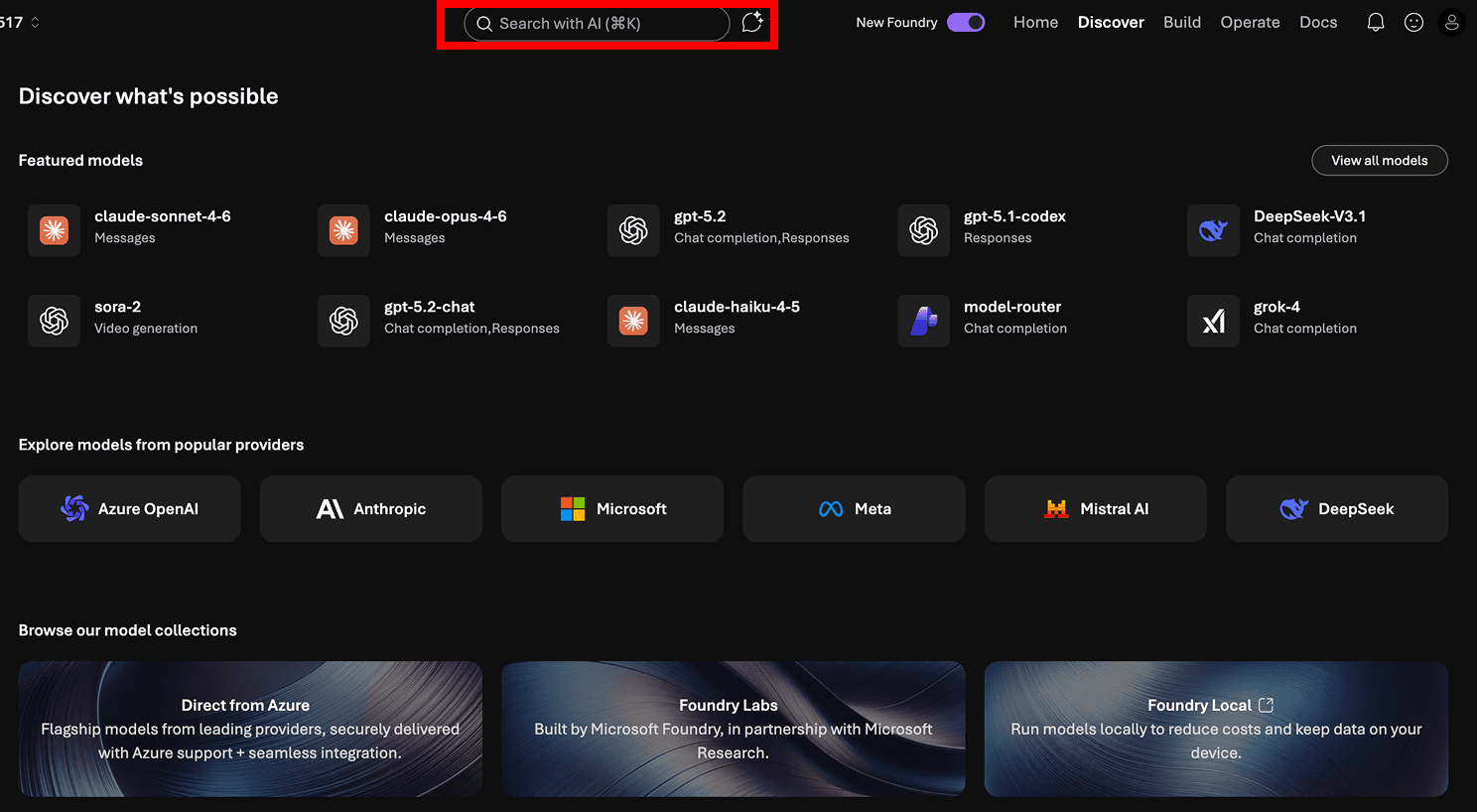
BEFORE
Search bar design with AI tool button next to it
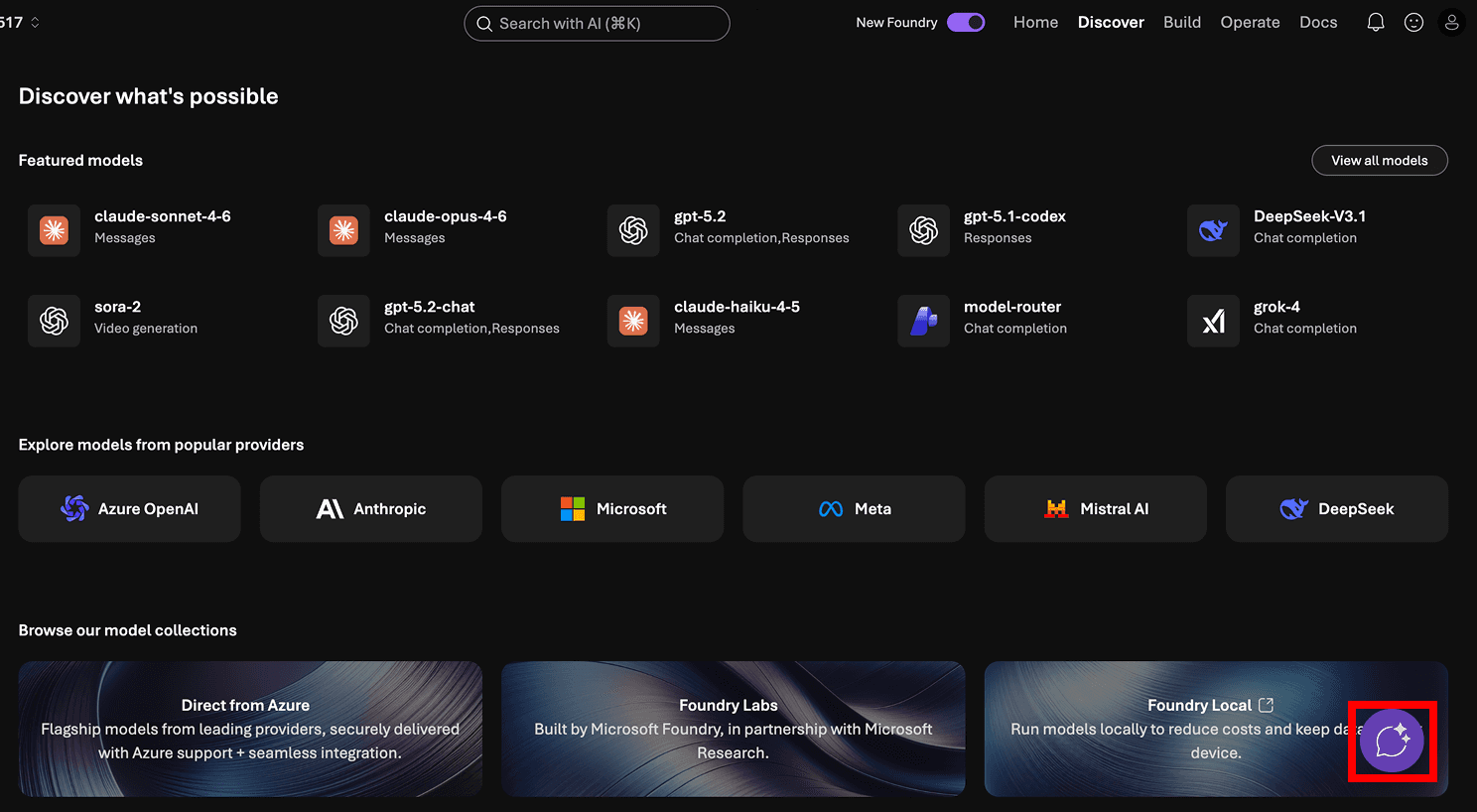
AFTER
AI tool made more obvious based on
well-known design patterns for chatbots
Issue 2: The "Compare Models" tool was easy to use, but difficult to find.
Despite 100% of our users reporting that "Compare Models" was easy to use, their time on task told a different story:
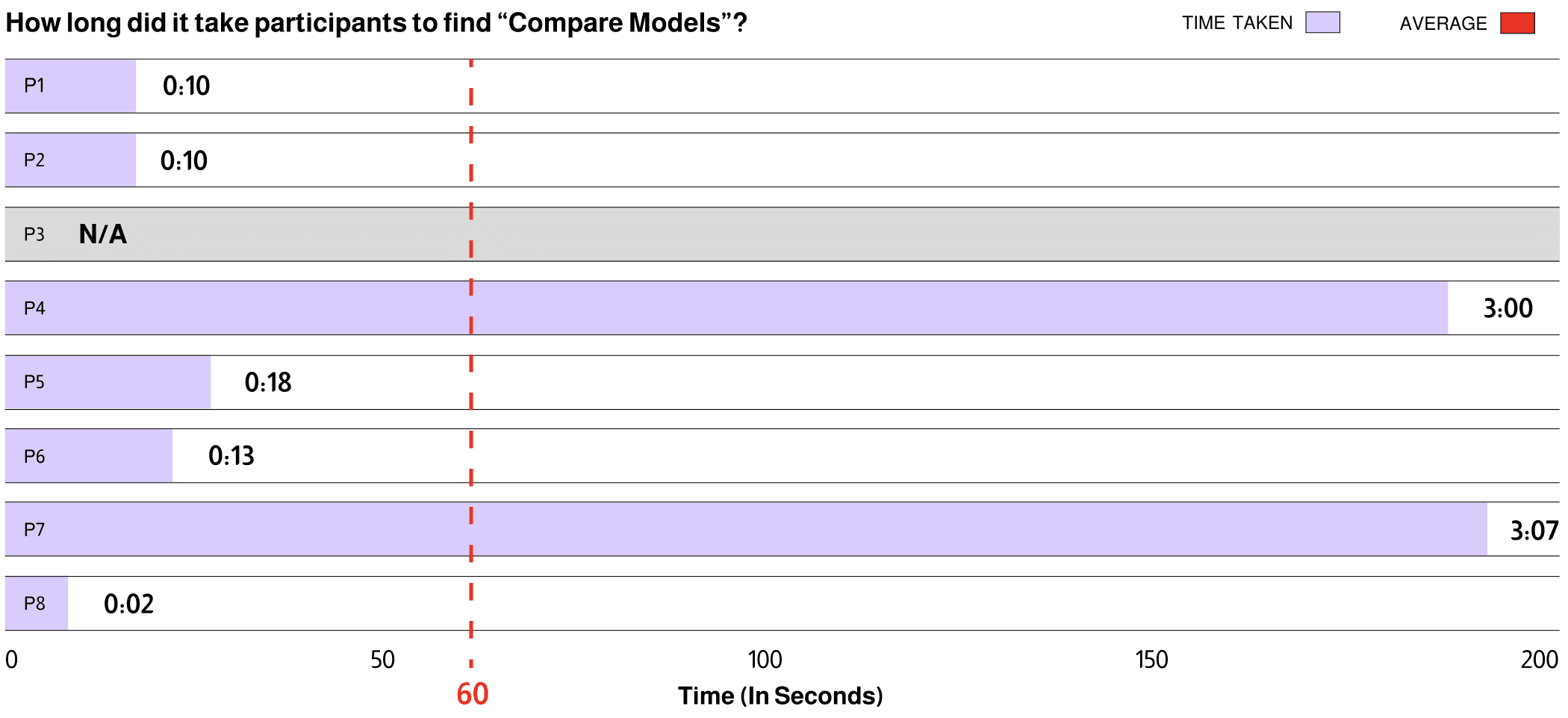
Additionally, the main difference in time on task depended on which page our participants started from:

This suggests that the "Compare Models" tool had better visibility on the "Model Catalog" page than anywhere else. As a result, we made the following design recommendations:
DESIGN RECOMMENDATIONS
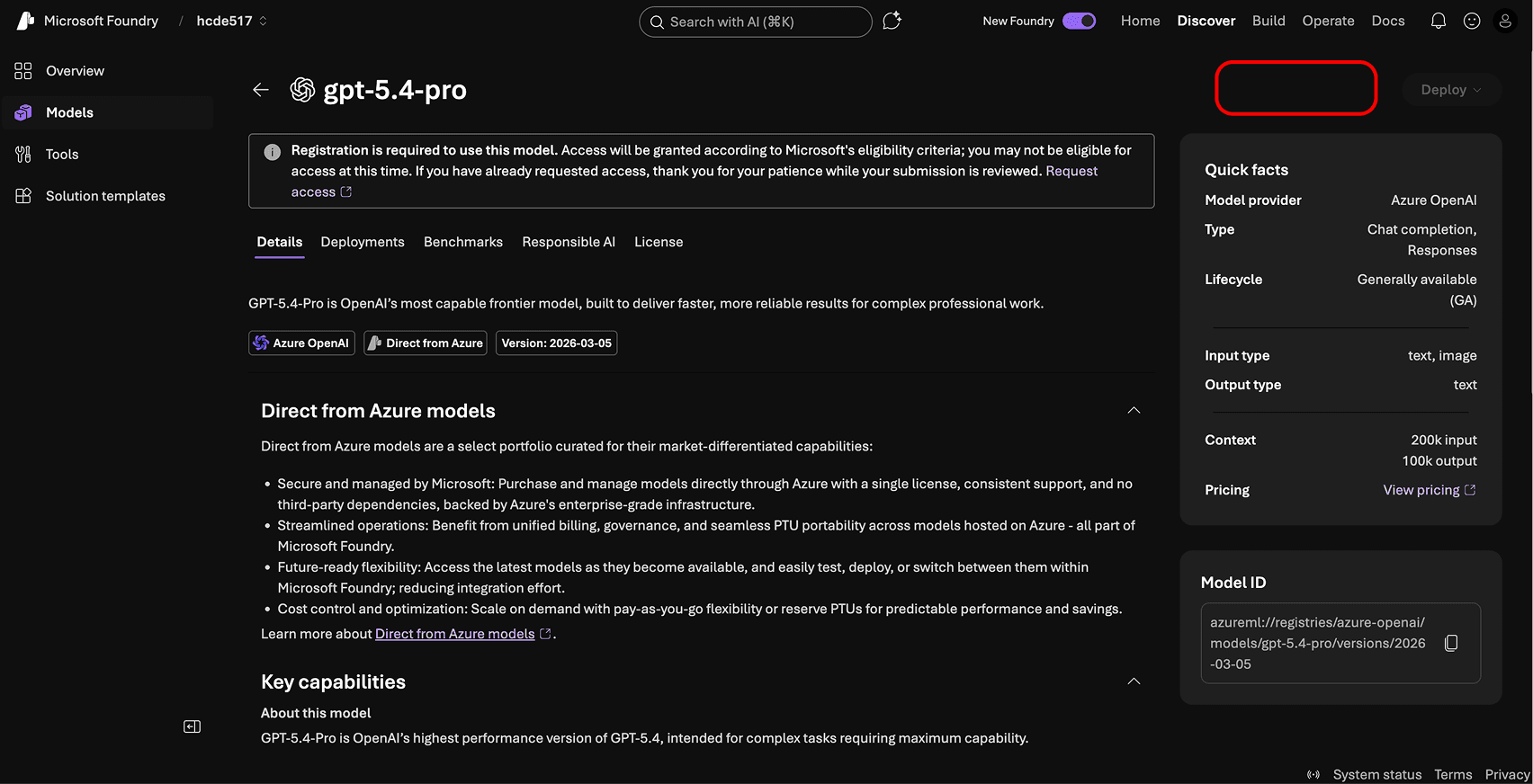
BEFORE
No CTA to "Compare Models" on Model Specifications page

AFTER
Surface CTA for "Compare Models" early in the page
Medium Priority

IMPACT
As of April 2026, the Microsoft Core AI team has pushed the following updates based on our findings and design recommendations:
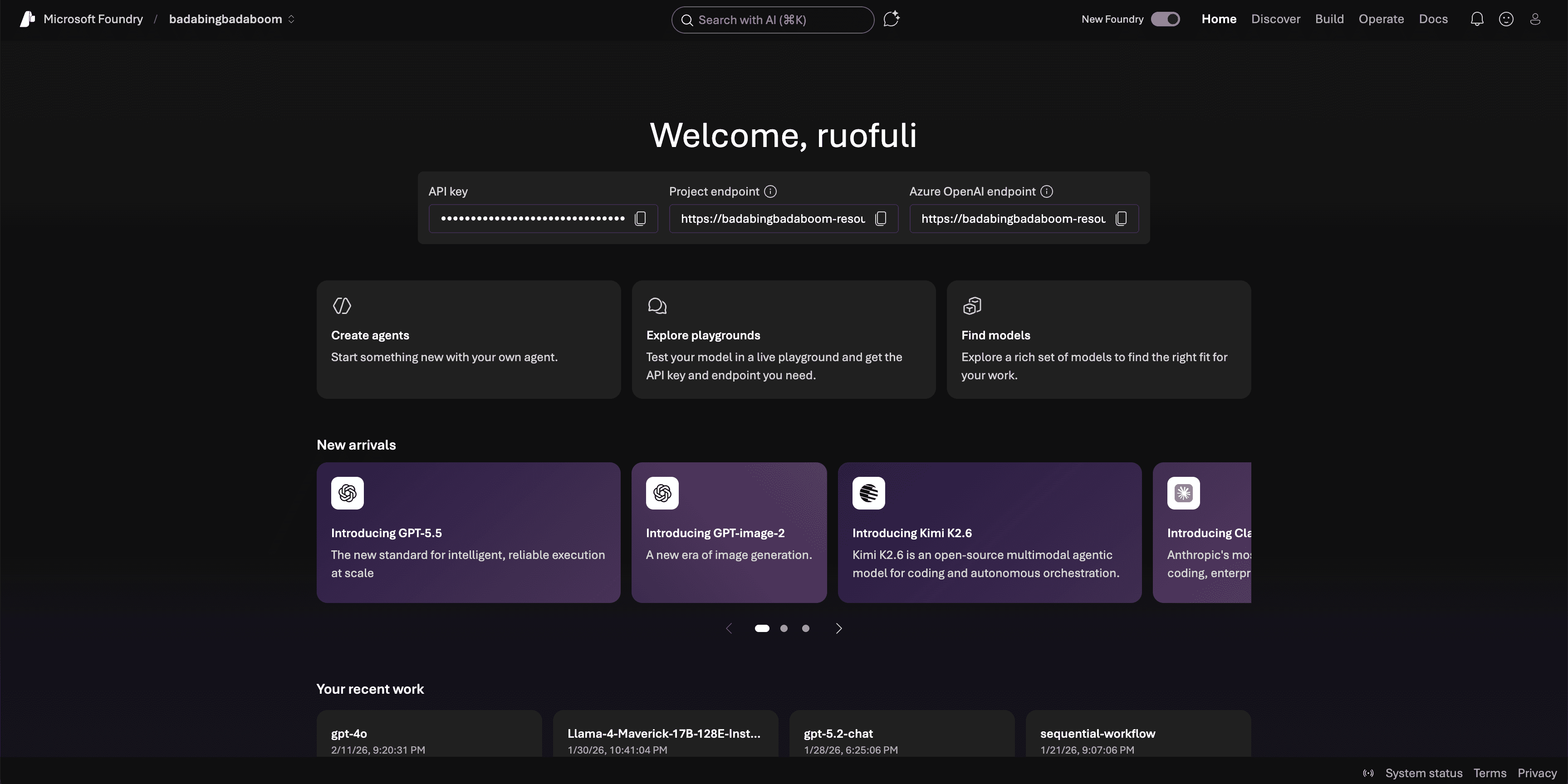
Surfacing actionable model exploration CTA much earlier in the home page (High Priority Issue 2)

Hover tooltips for benchmarks and explanations of what they mean (Medium Priority Issue 3)
Reflections
1
Precise wording is everything
When my team was drafting screener questions, we used words such as "familiarity" to ask users to describe their experience with AI development tools. However, we didn't realize that "familiarity" looks different for everyone— and in the realm of usability testing, it's important to make sure that everyone has the same baseline when they're evaluating themselves to prevent bias. In the end, we opted to ask users for years of experience.